The short answer: running Facebook ads that make money comes down to five disciplines: a clear objective, an offer that matches the audience, creative built for the feed, a pixel that tracks real conversions, and the patience to let campaigns learn before you judge them. This guide walks through the full process step by step.
Why Facebook Ads Are a Powerful Tool for Business Growth
Facebook Ads management is the process of creating, running, and optimizing paid advertising campaigns on Meta’s platforms, such as Facebook, Instagram, Messenger, and the Audience Network. It’s done through a tool called Meta Ads Manager, which gives you full control over who sees your ads, how much you spend, and what results you get.
Quick answer for getting started with Facebook Ads management:
- Choose a campaign objective that matches your business goal (awareness, traffic, leads, or sales)
- Define your target audience using demographics, interests, behaviors, or custom lists
- Set your budget and placements across Facebook, Instagram, and other Meta properties
- Create your ad creative and copy with mobile-first design (96% of users access Facebook on mobile devices)
- Monitor key metrics like cost per click (CPC), click-through rate (CTR), and return on ad spend (ROAS)
- Test and optimize continuously based on performance data
Facebook influences 52% of user purchases, and with over 3 billion users on the platform, you can reach almost any target audience. The platform offers targeting capabilities that let you get specific, down to interests, behaviors, and even website visitors who didn’t convert.
But there’s a catch. Meta Ads Manager is powerful, but it’s also complex, and the learning curve is steep. You’re managing campaign structures with multiple layers (campaigns, ad sets, and individual ads), making decisions about bidding strategies, troubleshooting delivery issues, and interpreting complex metrics.
This guide walks you through the entire process, from setting up your first campaign to optimizing for better results and deciding whether to manage ads yourself or work with an agency.
I’m Lily Andrews. My team and I have managed over $350 million in ad spend on Meta platforms, helping clients achieve an average ROAS of 5x. Through strategic Facebook Ads management, I’ve learned what works, what doesn’t, and where businesses often waste their budget.

Setting Up Your First Campaign: A Step-by-Step Walkthrough
When you’re ready to start with Facebook Ads management, everything happens inside Meta Ads Manager. This tool is your central hub for creating, launching, and tracking ads across Meta’s platforms.
When creating a campaign, you can choose Guided Creation for a step-by-step walkthrough, which is ideal for beginners. Quick Creation is a faster, single-window setup for experienced users.
We recommend starting with Guided Creation to get familiar with the workflow. Either way, the campaign structure stays the same: Campaigns hold your objective, Ad Sets define your audience and budget, and Ads contain your creative and copy. Understanding this structure is the foundation of effective Facebook Ads management.
If you need support navigating the complexities of campaign setup and optimization, our Digital Marketing Services are designed to help.

Step 1: Choosing the Right Campaign Objective
The first decision you make is choosing your objective. This tells Meta what you want to achieve, and the algorithm optimizes your campaign around that goal. If you get this wrong, you’re fighting an uphill battle.
Meta offers six core objectives: Awareness builds brand recognition. Traffic sends people to your website or app. Engagement increases interactions like likes and comments. Leads collects contact information. App Promotion drives app installs and in-app actions. Sales optimizes for purchases.
Your objective must match your business goal. If you want consultation sign-ups, choose Leads. If you’re selling products, Sales is the right choice. Choosing the wrong objective is a common and costly mistake.

Step 2: Defining Your Audience and Targeting Strategy
Next, you tell Meta who should see your ads. This is where Facebook’s targeting capabilities show their value in Facebook Ads management.
Core Audiences let you target by demographics (age, gender, location), interests (hobbies, entertainment), and behaviors (purchase patterns, device usage). You can get very specific, targeting people who recently moved or got engaged.
Custom Audiences let you reach people who already know you, such as website visitors, social media engagers, or contacts from your customer list.
Lookalike Audiences find new people who are similar to your existing customers or website visitors. It’s an effective way to scale your reach while maintaining relevance.
The best approach is to understand your ideal customer and layer these targeting options. For example, you might retarget website visitors who abandoned a cart while running a Lookalike campaign to find new customers.
Step 3: Selecting Placements and Setting Your Budget
With your objective and audience defined, you’ll decide where your ads appear and how much to spend.
Placements are the locations where your ads show up. Automatic Placements lets Meta distribute your budget across Facebook, Instagram, Messenger, and the Audience Network for the best results. This is a good starting point.
Manual Placements give you control to select specific locations, like only the Facebook News Feed or Instagram Stories. This is useful for creative designed for specific formats.
For your budget, you can set a Daily Budget (an average daily spend) or a Lifetime Budget (a total spend for the campaign). You’ll also set a bidding strategy, with options ranging from lowest cost to setting bid or cost caps to control expenses.

Step 4: Creating Effective Ad Creatives and Copy
Your creative and copy must stop the scroll and inspire action. 96% of Facebook users are on mobile, so your ads must be designed for small screens first.
Meta Ads Manager supports several formats. Image ads use a single, strong visual. Video ads are highly engaging for storytelling. Carousel ads showcase multiple images or videos, ideal for product catalogs. Collection ads offer a mobile-first shopping experience.
Your ad copy should be crystal clear. This means you don’t beat around the bush and talk about how great of a company you are. You may be awesome, but to tell you the truth your ads are interrupting someone’s leisure time. So make the first three seconds count and tell them your offer, and how it will change their life. Start with a hook to grab attention. State your value proposition clearly. Include a clear call-to-action (e.g., Shop Now, Learn More). Keep it brief, as you only have seconds to make your point.
Always ensure your creative meets Meta’s specifications for dimensions and file sizes. We regularly reference Facebook’s official Ads Guide for format specs to stay current.
Effective Facebook Ads Management and Optimization
Launching your campaign is just the beginning. The real work in Facebook Ads management happens after your ads go live through continuous monitoring, testing, and optimization.
Think of it like tending a garden. You don’t just plant seeds and walk away; you nurture them to ensure growth. The same principle applies to your ads. We make data-driven decisions to refine strategies, improve performance, and ensure every dollar spent delivers measurable results.
This iterative process is what separates campaigns that waste money from those that generate greater returns. For those looking to maximize their advertising efforts, our Conversion Rate Optimization services provide specialized expertise that takes your ads way further than they would originally go. Ads are the first step. The page they land on next will greatly influence whether they convert or not. Key point here – if you have a high CTR, your ads aren’t the problem. It would point to your landing page.
Monitoring Performance with Key Metrics
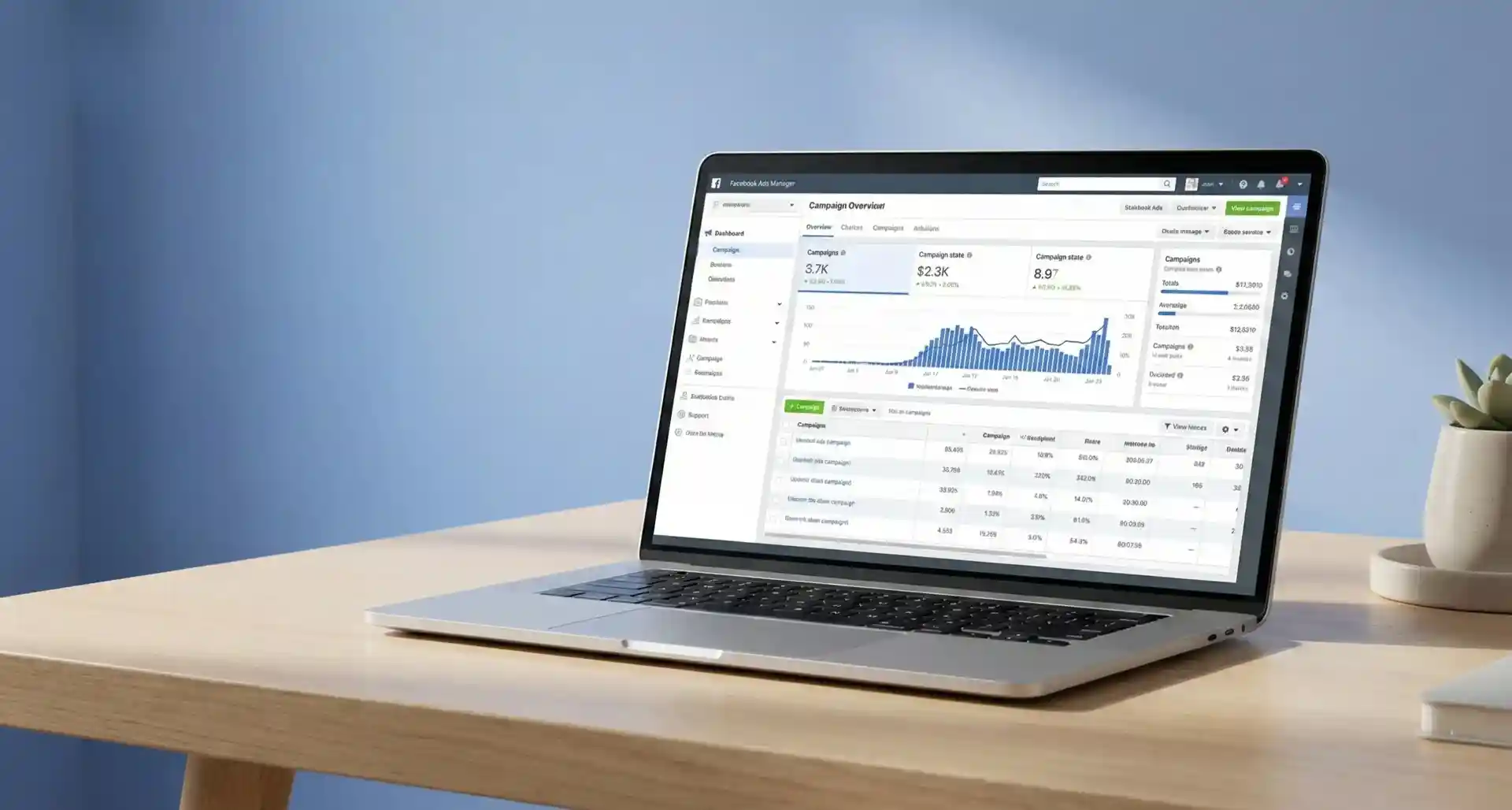
Meta Ads Manager provides a comprehensive reporting dashboard. The key is knowing which metrics matter for your goals. We customize our dashboard to focus on these essentials:
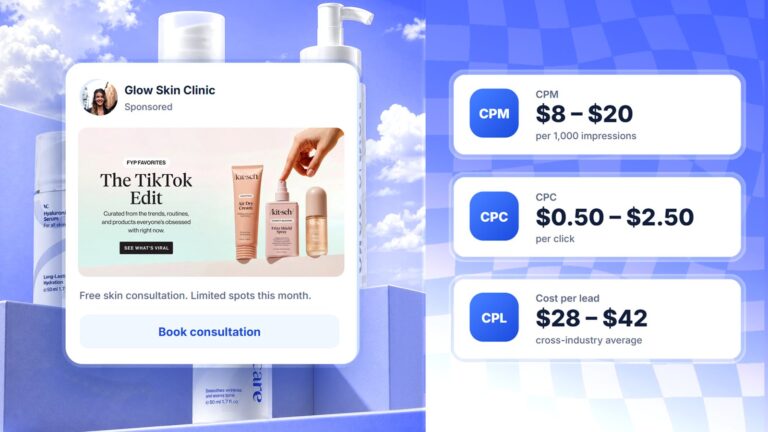
- CPM (Cost Per Mille): Your cost per 1,000 impressions. A rising CPM can signal ad fatigue or competition.
- CPC (Cost Per Click): The cost for each click. A lower CPC means more efficient traffic for your budget.
- CTR (Click-Through Rate): The percentage of people who saw your ad and clicked it. A high CTR suggests your creative and targeting are aligned.
- Conversion Rate: The percentage of people who completed your desired action after clicking. This metric ties traffic to business results.
- ROAS (Return On Ad Spend): The revenue generated for every dollar spent on ads. This directly measures profitability.
- Frequency: The average number of times a person has seen your ad. High frequency can lead to ad fatigue.
Understanding these metrics is about interpreting what they mean for your business and using those insights to make smarter decisions.
A/B Testing for Continuous Improvement
A/B testing, or split testing, removes guesswork by running two or more variations of an element to see which performs better. We systematically test different elements to find what relates best with your audience.
- Ad creative: Test different images, videos, or formats. You won’t know what works best until you test.
- Ad copy: Try different headlines, primary text, or calls-to-action. A small wording change can make a big difference.
- Audience segments: Compare performance across different demographics, interests, or Custom vs. Lookalike Audiences. Data can reveal profitable segments you hadn’t considered.
- Placement: Identify which platforms and positions work best. An ad that performs well in the Facebook News Feed might flop in Instagram Stories.
The goal is to isolate variables to identify what’s making the difference. We then scale the winning ad sets and continue testing new variations in a cycle of continuous improvement. It really never ends.
Common Challenges in Professional Facebook Ads Management and How to Solve Them
Even with a solid strategy, you’ll encounter challenges in Facebook Ads management. Being prepared makes all the difference.
- Ad fatigue: This happens when your audience sees the same ad too often, causing engagement to drop and costs to rise. We monitor the Frequency metric. If it gets too high (typically above 3-4), it’s time to refresh your creatives.
- Declining relevance: Meta uses quality and engagement rankings to assess ad performance. If these scores drop, your ad isn’t resonating. Test new creatives or refine your audience targeting.
- Under-delivery: This occurs when Meta struggles to spend your budget, often because your audience is too small or your bid is too low. We solve this by broadening the audience or adjusting the bidding strategy.
Our approach is proactive. We analyze data, identify the root cause, and implement a targeted solution based on data that performs.
For further guidance, a helpful guide to Ads Manager provides additional resources directly from Meta.
In-House vs. Agency: Making the Right Choice for Your Business
Deciding how to handle your Facebook Ads management is a major decision for business owners. The right choice depends on your resources, time commitment, team expertise, and scaling plans. We’ve seen businesses succeed with both approaches, and we’ve also seen both fail significantly when the fit wasn’t right.
If you’re leaning toward professional support, you can learn more about our dedicated Facebook Ads Management Services.
Pros and Cons of Managing Ads In-House
For some businesses, managing Facebook ads internally makes sense. The biggest advantage is full control and direct brand knowledge. Your team can make instant changes and already understands your brand voice and customers, aligning campaigns with internal initiatives without delay.
There’s also the perception of potential cost savings by avoiding agency fees.
However, the learning curve is steep, and Meta’s platform changes constantly. Effective advertising is also time-intensive, requiring daily monitoring and optimization. This is a full-time role, not a side task.
Finally, there’s the risk of costly errors. Without expert knowledge, common mistakes like poor targeting or ineffective creative can quickly burn through your budget. Your team also may not have access to the advanced tools that agencies use for research and competitive analysis.
The Benefits of Partnering with a Facebook Ads Agency
For many businesses, an agency offers access to expertise and experience that would take years to build internally. Agencies bring broad expertise from managing campaigns across diverse industries. We stay current on platform changes and trends because it’s our sole focus.
There’s also access to advanced tools for audience research, competitive analysis, and reporting that may be too costly for a single business. The time savings are significant, freeing up your team to focus on core business operations.
Agencies bring data-driven strategies backed by historical data from managing millions in ad spend. This provides perspective on what realistic benchmarks look like for your industry. An external agency also provides an objective perspective, identifying opportunities an internal team might miss.
Finally, agencies offer scalability. As your business grows, we can handle increased ad spend and complexity without you needing to hire and train new staff.
| Feature | In-House Management | Agency Management |
|---|---|---|
| Expertise | Varies; requires continuous learning | Specialized, up-to-date, broad experience |
| Cost | Salary, tools, training, potential wasted ad spend | Retainer/commission, higher initial cost but potentially better ROI |
| Time | Significant internal time commitment | Frees up internal team’s time |
| Scalability | Limited by internal resources | Easily scalable with agency resources |
The right choice depends on your business’s current stage and future goals. If you have a dedicated marketing professional with the time and experience, in-house might work. But if you seek proven expertise, time savings, and scalability, an agency partnership often delivers a stronger return on investment.
Frequently Asked Questions about Facebook Ads Management
We hear the same questions from businesses searching for Facebook Ads management. Here are honest answers to the most common ones.
How much should I spend on Facebook ads?
There’s no magic number. Your budget depends on your goals, industry, and market competitiveness. Some businesses find success starting with only $20 per day, while others need more to make a stronger impact.
For mid-sized to corporate organizations, you should have a dedicated sandbox budget to test multiple variations of ads. By prioritizing A/B testing to find winning audiences, creatives, and offers, you can easily scale by knowing the best ads that convert and bring in the right qualified leads. This eliminates wasted spend early on and maximizes ROI.
How long does it take to see results from Facebook ads?
You’ll see initial data like impressions and clicks within a few days. However, meaningful business results take longer.
The first week is for gathering information. The following weeks are for optimization, where you refine your strategy based on data. This is the core of Facebook Ads management.
For sustained results like sales or leads, expect to invest one to three months in continuous optimization. The timeline depends on your sales cycle. A business selling low-cost items will see results faster than one selling high-ticket services.
What is a good Return on Ad Spend (ROAS) for Facebook ads?
This depends entirely on your profit margins. A common benchmark is 4:1, meaning $4 in revenue for every $1 in ad spend. For many businesses, this covers costs and leaves room for profit.
But context matters. Brand awareness campaigns might have a lower ROAS but still be valuable. E-commerce businesses with high margins often aim for 6:1 or higher.
The key is to understand your own numbers and what profitability means for your business. We work with clients to set realistic ROAS targets based on their financial structure, not arbitrary industry standards.
Take Control of Your Facebook Advertising
Facebook Ads management is powerful, but it’s not simple. From choosing the right campaign objective and defining your target audience, to monitoring performance metrics and continuously testing new creatives, every step matters. Each decision builds on the last, creating a system that either works for you or quietly drains your budget.
Meta Ads Manager gives you the tools to reach your ideal customers with precision. The platform itself is robust, offering targeting capabilities and optimization features that can genuinely improve how you grow your business. But it’s also complex. The learning curve is real, and the difference between a profitable campaign and a money pit often comes down to experience and attention to detail.
We’ve walked through the entire process in this guide because we believe in giving you a clear picture of what’s involved. Whether you decide to manage your ads in-house or work with an agency like Lotiva, success comes from the same place: a commitment to data-driven decisions, continuous improvement, and a willingness to test and learn.
If you’re building campaigns yourself, take it step by step. Start with a clear objective, define your audience carefully, and don’t be afraid to start small and scale what works. If you’re considering outside help, look for a partner who understands your business goals and can demonstrate real results.
And remember, great ads start with great creatives. If you need help developing ad visuals and messaging that actually convert, explore our media and production services to create effective ad creatives. We’re here to help you build campaigns that don’t just look good, but deliver real, measurable growth for your business.
Want Your Meta Ads Managed Instead?
Everything in this guide is what we do daily for clients, from restricted categories to ecommerce scaling: see how we took a clothing brand from $5K to $22K a month with Meta ads. Plans are public at Meta ads management from $2,000/mo, or book a free strategy call.